A Must-Read for SME Owners: 5 Tips for Shooting Professional B-roll with an iPhone
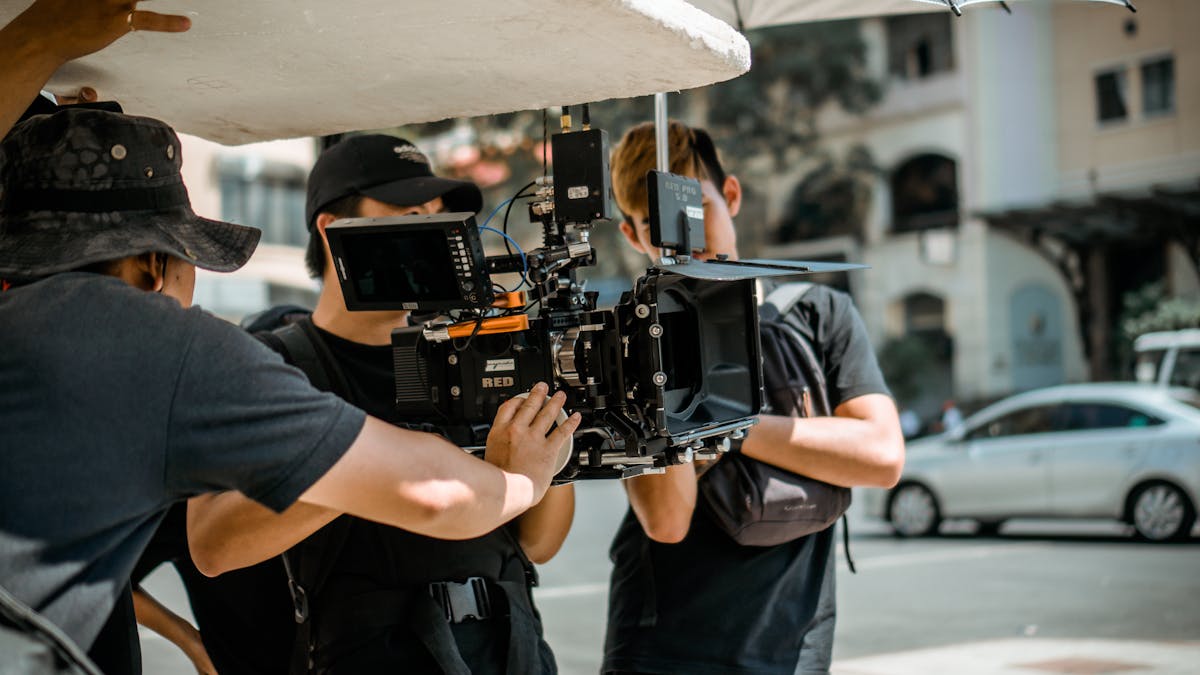
Image: Pexels
- B-roll is supplementary footage that supports the main shots, adding visual depth and covering editing cuts.
- Five tips: make good use of natural light, keep the shot stable, mind your composition, shoot footage from multiple angles, and use slow motion and time-lapse.
- Phone-shot B-roll suits everyday social media; for important brand videos, we recommend leaving production to a professional team.
What Is B-roll, and Why Does It Matter?
B-roll is supplementary footage used in a video to support the main shots. According to industry statistics, corporate videos with high-quality B-roll see an average 45% increase in audience retention, and the YouTube algorithm also prioritises recommending content with longer watch time. The good news is that the iPhone 15 Pro and later models already support 4K ProRes recording and Log colour mode, with image quality sufficient for 90% of commercial video needs. The following 5 tips let SME owners shoot professional B-roll with just a phone, no extra equipment required, that can be used directly in corporate promotional videos.
Tip 1: Make Good Use of Natural Light
The iPhone's image sensor performs best in natural light. When shooting, use window light or an outdoor setting wherever possible, and avoid dimly lit environments. The golden hours (the hour after sunrise and the hour before sunset) are especially ideal, creating a warm tone in the picture.
Tip 2: Stability Is the Foundation of a Professional Look
Handheld shooting easily produces shake, making the footage look amateurish. Using a small tripod or a phone stabiliser can greatly improve stability. If you have no equipment, keep your elbows tucked against your body, or rest the phone on a stable surface while shooting.
Tip 3: Composition Determines Picture Quality
Compose your shots using the rule of thirds, leading lines and foreground elements. Turn on the iPhone's grid feature and place the subject at the intersection points. When shooting office scenes, check that the background is tidy and avoid cluttered elements that distract attention.
Tip 4: Shoot Footage from Multiple Angles
Shoot the same scene from different angles, including wide, medium and close-up. This gives you more options when editing later and also creates a richer visual rhythm. We recommend shooting each shot for at least ten seconds.
Tip 5: Make Good Use of Slow Motion and Time-Lapse
The iPhone's built-in slow-motion and time-lapse features are very useful. Slow motion suits capturing product details or dynamic scenes, while time-lapse suits showing daily office life or event preparation. These features can be used without any extra apps.
From Phone to Professional Production
iPhone B-roll suits everyday social media and internal footage, but for important brand videos and corporate promotional videos, we still recommend leaving the work to a professional team. See V1 Media's professional video production services, from pre-production planning to post-production, to ensure your brand is presented at its best.
Want results like this?Our Express package is director-led, with pricing and delivery time agreed up front.
View the Express package →Frequently asked questions
What is B-roll?
B-roll is supplementary footage used in a video to support the main footage (A-roll). It adds visual depth, covers editing cuts and makes the storytelling richer.
What lighting tips are there for shooting B-roll with an iPhone?
Use window light or shoot outdoors wherever possible, and avoid dim environments. The golden hours, the hour after sunrise and the hour before sunset, are especially ideal.
How can I avoid shaky footage without a stabiliser?
Keep your elbows tucked against your body, or rest the phone on a stable surface while shooting. If your budget allows, a small tripod or a phone stabiliser works even better.
How long should each shot be?
We recommend shooting each shot for at least ten seconds, and from different angles such as wide, medium and close-up, to make editing easier later.